

Overview
Jira consulting and implementation for software and business teams
Jira is Atlassian's app for planning and tracking work. Since Atlassian merged Jira Work Management into it in 2024, software and business teams use the same Jira. Software spaces get backlogs, sprints and releases. Business spaces get list, board, calendar and timeline views, forms and approvals. Atlassian has also renamed projects to spaces and issues to work items in Jira Cloud. New customers get Jira on Atlassian Cloud, because Data Center is no longer sold to new customers.
Great Minds designs, implements and connects Jira for Australian mid-market organisations. We're an Atlassian Silver Solution Partner, Sydney-based and founded in 2009, and we invoice Atlassian licences in Australian dollars. Most of our Jira work is one of three things: a new rollout across several teams, a clean-up of a Jira site that has grown hundreds of custom fields and workflows nobody can report across, or connecting Jira to the CRM, finance and HR systems around it.
The hard part of Jira is rarely the configuration. It's agreeing a small set of standard templates, workflows and fields before ten teams build ten versions of their own. We start there. Our guide to implementing Atlassian in your organisation walks through the approach.
Use case
Jira for every kind of team
One Jira site can hold software and business spaces side by side, so a marketing launch can link directly to the engineering work it depends on. These are the patterns we set up most often.
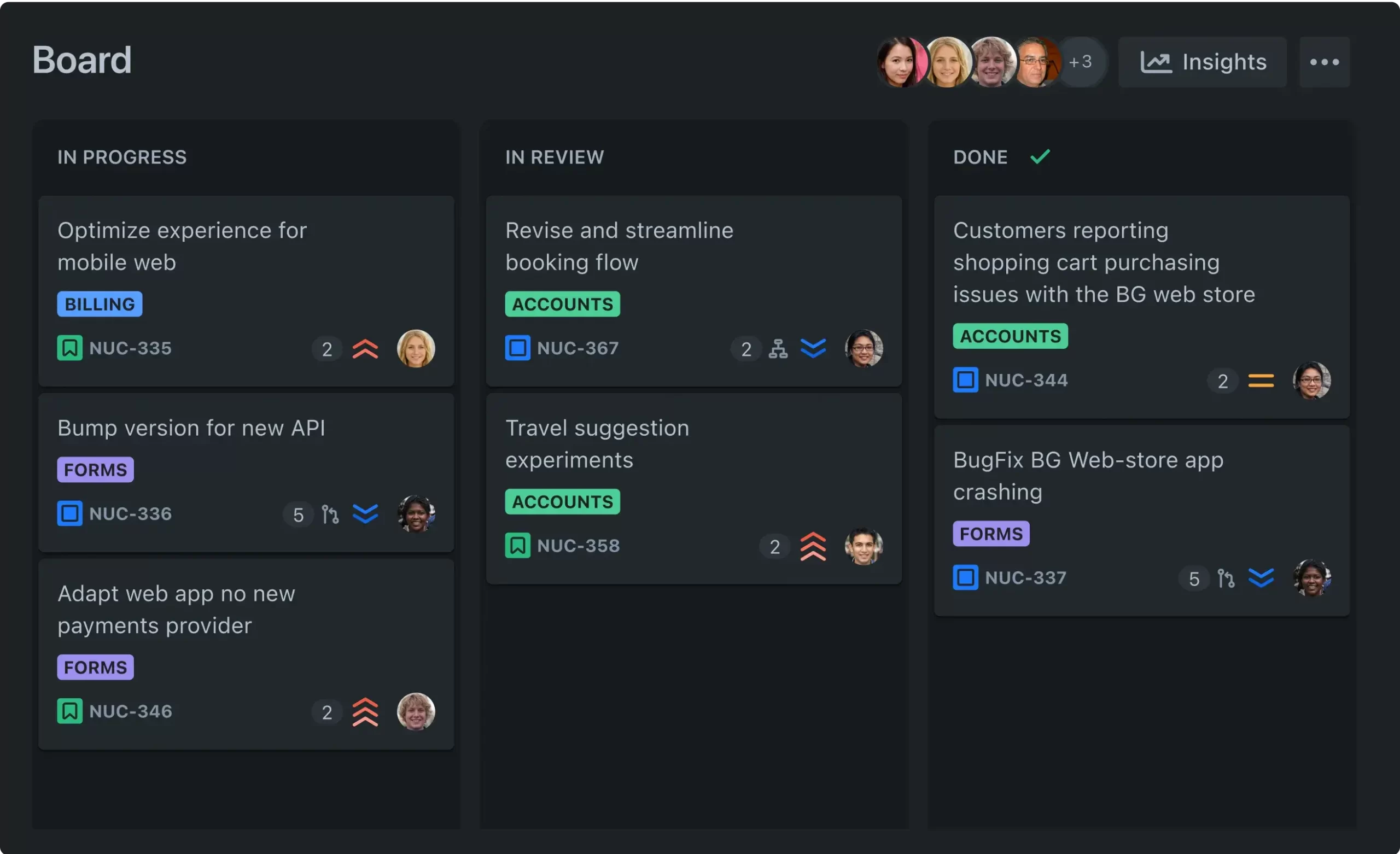 01Software Development
Scrum and Kanban boards, backlogs, sprints and releases, connected to code, builds and deployments in Bitbucket, GitHub or GitLab. On Premium, Plans adds cross-team planning with capacity and dependencies, and Jira Product Discovery handles ideas and prioritisation before work reaches the backlog.
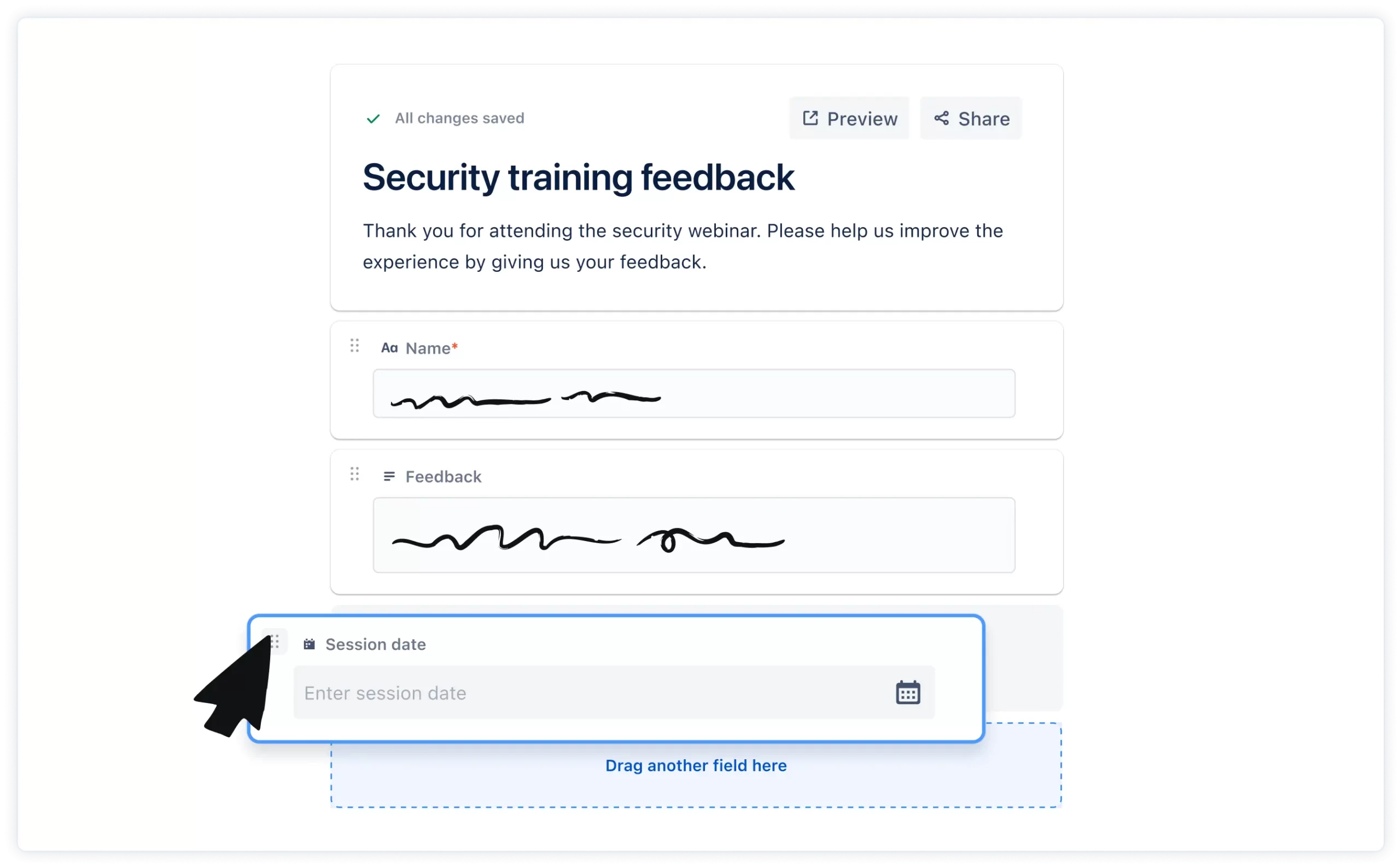 02IT Support
IT project work such as upgrades, rollouts and migrations tracked in Jira, with requests and incidents in Jira Service Management on the same site, so a change request can link to the project that delivers it.
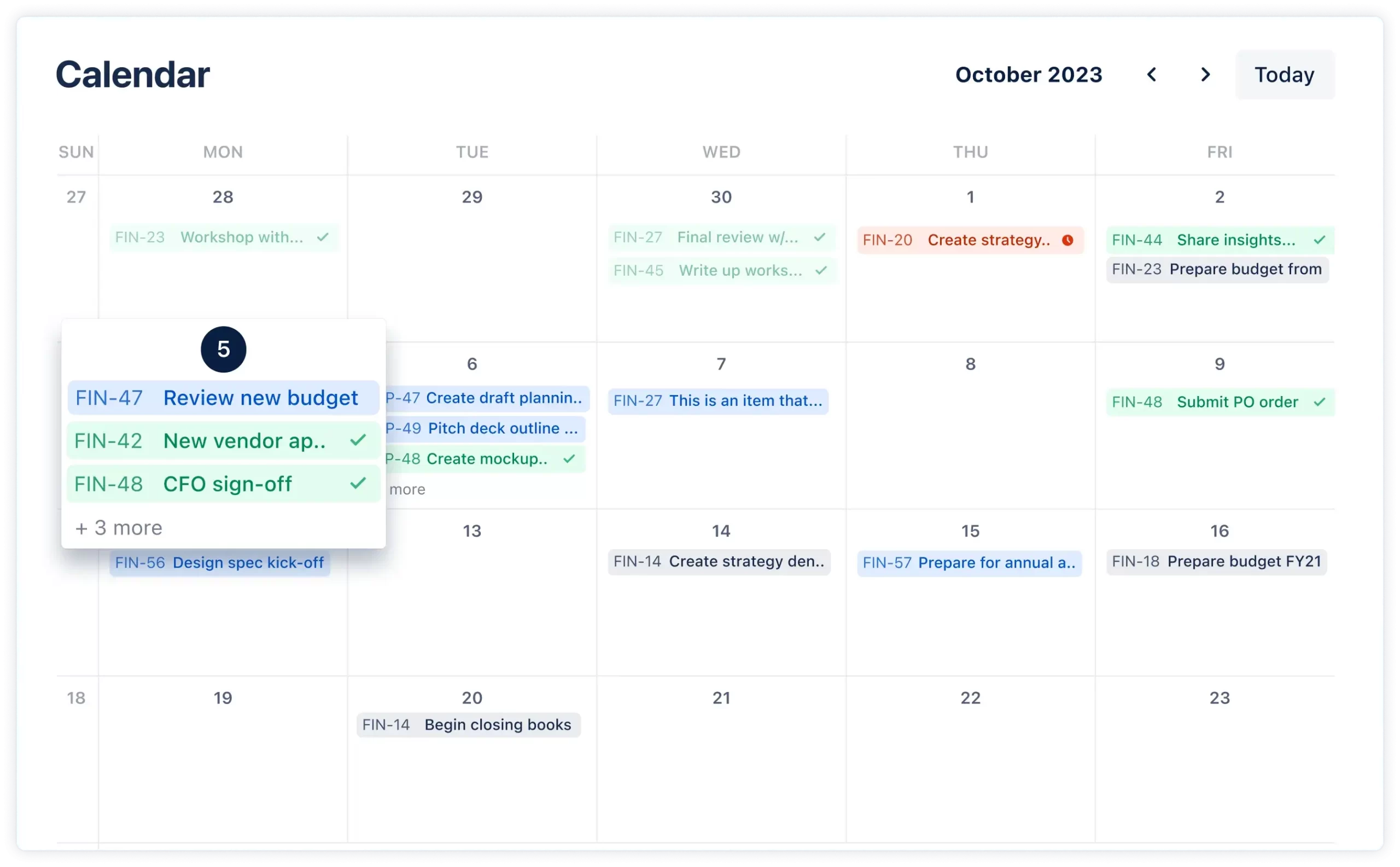 03Marketing
Campaign and content spaces built from Atlassian's marketing templates, with a form for creative briefs, calendar and timeline views, and automation that sets owners and due dates. Approval steps inside a workflow need the Premium or Enterprise plan.
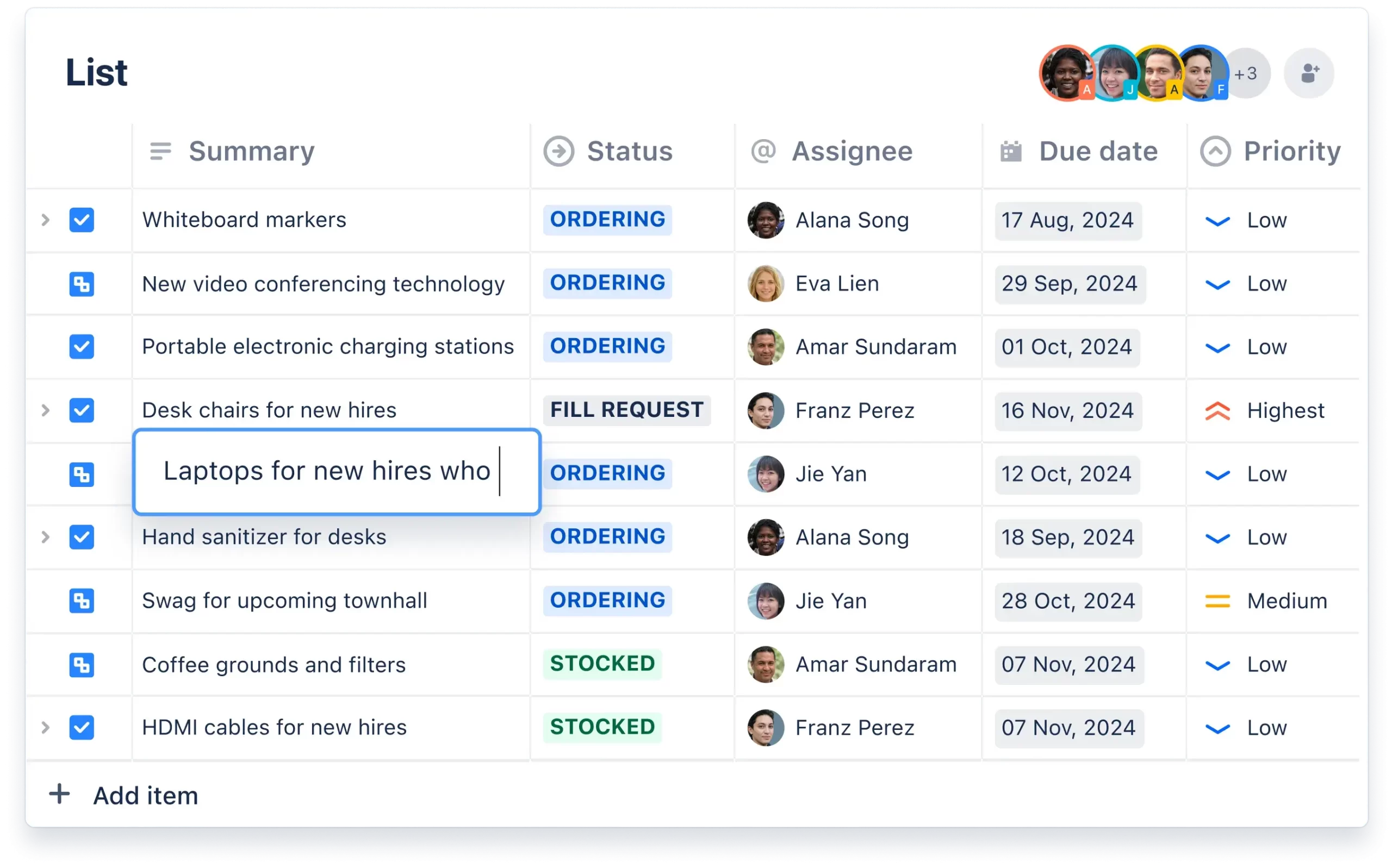 04Operations
Procurement, vendor onboarding, HR recruitment, legal document approval and finance workflows, built from Atlassian's business templates. Most people in these teams work in a list or a form and never see a sprint.
How we deliver
A Jira rollout, from design to the second wave
We agree what you're improving and for whom: one place to plan software and business work, a request intake, or portfolio visibility for leaders. For each, we name the teams, how they work today and what better looks like in terms you can measure.
A small set of space templates, shared workflows whose status names mean the same thing everywhere, a controlled list of custom fields, and permissions based on groups rather than individuals. We test the design with real teams in a sandbox. For a manufacturer's launch process, we built three proof-of-concept designs and tested them against agreed success criteria before choosing one.
Spaces, workflows, forms, automation and dashboards, plus single sign-on from Microsoft Entra ID or Okta and the integrations the pilot needs. AI agents do much of the repetitive build work; our consultants own the design and sign off every change. One or two keen, representative teams pilot it first.
Training by role for team members, team leads and space admins, champions in each team, and a light change process for new fields, workflows and apps. A quarterly clean-up archives inactive spaces and removes unused fields and apps, so the site stays reportable.
Integrations
Jira connected to the rest of the business
Atlassian provides first-party connections to Slack, Microsoft Teams, Google Workspace, Confluence and Loom. There's no native Atlassian integration with Salesforce or Microsoft Dynamics 365, so those connections are built with a Marketplace app, an integration platform such as MuleSoft or Power Automate, or a custom build on Atlassian's APIs or Forge. We choose by how critical the flow is and who will maintain it.
One deadline matters here. Atlassian's older Connect app framework reaches end of support on 31 January 2027, and the Marketplace has accepted only new Forge apps since September 2025. If any of your Jira integrations run on Connect, check the vendor's Forge plans now or plan the rebuild.
Our entry offer is simple: start with one connection. Pick the place where people copy information into or out of Jira most often, such as a closed deal in the CRM that should create onboarding work, and we'll build that first. Our guide to integrating Atlassian with your tech stack covers the options, and our Atlassian integration service does the build.
Australian considerations
Data residency, metered usage and paying in AUD
Jira Cloud data can be pinned to Australia (Sydney) on Standard, Premium and Enterprise plans, and Jira Cloud has been assessed at IRAP PROTECTED. Set the data residency location before content builds up, not after.
Paid plans include Rovo AI and a monthly allowance of automation steps, both pooled across the organisation. From 3 December 2026, usage above the allowance is billed, so we write automation rules with conditions early and avoid rules that run on every update. Atlassian raised Cloud list prices on 13 October 2026 and invoices Cloud in US dollars. Buying through Great Minds gets you Australian-dollar invoices. Our guide to Atlassian licensing in Australia covers plans, Collections and GST.
FAQ
Jira questions
Does Jira Work Management still exist?
Not as a separate product. Atlassian merged it into Jira in 2024 and moved existing customers across during 2025. Business teams now use business spaces in the same Jira as software teams. Our article on Jira for business teams explains what changed.
Is Jira suitable for non-technical teams?
Yes. Business spaces use list, board, calendar and timeline views and hide the software features. Requests arrive through forms, and approval steps can sit inside a workflow on Premium and Enterprise.
Why does Jira now say spaces and work items?
Atlassian renamed projects to spaces and issues to work items across Jira Cloud in 2025. JQL and the APIs still accept the old terms, and Data Center keeps them.
Does Jira integrate with Salesforce or Dynamics 365?
Not natively. Those connections are built with a Marketplace app, an integration platform or a custom integration. Business-critical or two-way flows need monitoring and error handling, which usually points to an integration platform or a well-built custom integration.
How much automation and AI is included in Jira?
Automation is measured in steps, pooled across the organisation each month: 400 per user on Standard, 750 on Premium and 1,000 on Enterprise. Rovo includes 25, 70 or 150 credits per user per month on the same plans, and search and summaries don't use credits. Usage above the allowances is billed from 3 December 2026.
How long does a Jira implementation take?
It depends on the number of teams, how much existing work you migrate and how many integrations you need. A pilot with one or two teams gets value early, and we give you a scoped plan and price before work starts.
Our offering
We help enterprise organisations design, implement, and scale Atlassian tools with confidence and clarity
Jira work usually draws on more than one of our Atlassian services. Consulting sets the standards, implementation builds them, migration brings existing work across, and managed support keeps the site tidy after go-live.

Atlassian Consulting
Standards for spaces, workflows, fields and permissions, agreed before anyone configures Jira.

Atlassian Implementation
Jira, Confluence and Jira Service Management built to the agreed design, with identity, data residency and integrations.

Atlassian Cloud Migration
Move Jira from Server or Data Center to Cloud before Data Center reaches end of life on 28 March 2029.

Atlassian Managed Services & Support
Ongoing Jira administration, clean-ups, app reviews and help for your admins after go-live.
People
The people behind the work
Strategists, architects and platform specialists who have delivered 350+ projects since 2009, across APAC and Europe.
Case studies
Results that are real.
For a premium kitchen appliance manufacturer, we moved a product launch process from several disconnected tools onto Jira and Confluence, with launch deliverables, tasks and dates set automatically from the launch plan. More than 50 teams and 400 tasks now run on one platform.

Insights
Latest thinking
 Jira Service Management vs ServiceNow: which fits you?Where each platform is strongest, AI and its metering, data residency and IRAP, implementation time and cost profile.
 Automation in Jira Service Management: rules, AI agents and integrationsWhat to automate first, building rules well, where AI agents fit, alerting, and automating across identity, HR and CRM.
 Getting started with Jira Service Management: a step-by-step guideSet up Jira Service Management in 2026: choosing a plan, request types, queues, SLAs, knowledge, automation, AI and alerting.